
How to Audit Your Squarespace Website Like a Pro?
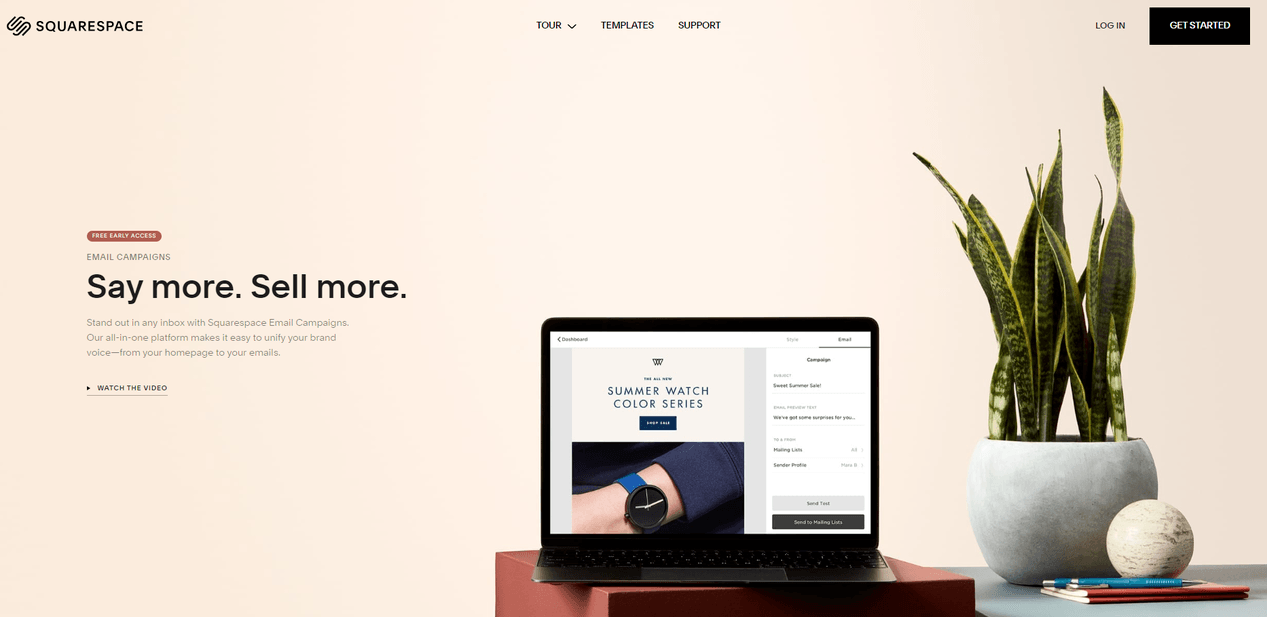
A beautiful Squarespace website can still lose leads, traffic, and sales if the small things are not working. A slow homepage, weak page titles, unclear buttons, thin service pages, broken links, poor mobile spacing, and missing tracking can quietly hold the whole site back.
That is why a proper audit matters.
When you audit your Squarespace website, you are not just checking how it looks. You are checking how well it works for real visitors, search engines, and business goals. A good audit tells you what is clear, what is confusing, what needs fixing, and what could bring better results.
Many business owners only review their website when something feels wrong. Traffic drops. Enquiries slow down. A page stops ranking. A form does not send leads. The better approach is to audit the site before these issues turn into lost revenue.
Squarespace gives you a clean website foundation, but it still needs proper content, SEO settings, page structure, mobile checks, speed review, and conversion planning. Squarespace also includes SEO-friendly features by default, while some SEO fields depend on what you add yourself, such as page titles, descriptions, and content quality.
At Pocketknife, a Squarespace website audit is not treated as a quick checklist. It is treated as a full review of design, SEO, content, user flow, mobile experience, and conversion points. The goal is simple. Find what is stopping the website from doing its job, then fix it in a smart order.
What a Squarespace Website Audit Really Means
A website audit is a structured review of your site’s health. It looks at design, content, SEO, speed, mobile layout, navigation, forms, analytics, and conversion paths. For a Squarespace site, the audit also checks how well you are using the platform’s built-in tools.
A lot of people think an audit only means running a page through a free tool. That is only one part of the process. A Squarespace website audit tool can help find technical problems, but it cannot fully judge your message, brand clarity, buyer journey, or whether your call-to-action makes sense.
A proper audit combines tool-based checks with human review. The tool can show speed issues, missing meta descriptions, broken links, or mobile errors. A human review can tell whether your homepage speaks to the right buyer, whether your service pages answer real questions, and whether visitors know what to do next.
When you audit your Squarespace website, you should ask three core questions. Can people find the site? Can they understand the offer? Can they take action without friction?
If the answer is weak in any area, your site needs work.
Why Squarespace Sites Still Need Audits
Squarespace makes it easier to build a polished site, but ease of use does not remove the need for review. A website can look clean and still have weak SEO. It can have strong visuals but poor page copy. It can load well on desktop but feel cramped on mobile.
Many Squarespace websites are built fast. Templates are selected, images are uploaded, pages are filled in, and the site goes live. Over time, new sections are added. Old pages are forgotten. Blog posts pile up. Buttons point to outdated links. Brand messaging changes, but the website stays the same.
This is where problems begin.
A site that once worked well may become messy after a year of small updates. Your services may change. Your pricing may change. Your ideal customer may change. Your content may no longer match your current offer.
A regular Squarespace website audit helps you catch these issues before they hurt growth.
What You Should Expect From a Professional Audit
A professional audit should not only point out problems. It should explain why each problem matters and what should be fixed first.
For example, saying “your homepage needs better SEO” is not enough. A useful audit should show whether the homepage has a weak title tag, unclear heading, thin copy, slow image load, poor internal links, or a mismatch between search intent and page content.
The best audits are practical. They do not overwhelm you with random issues. They group findings by impact. Some fixes improve search visibility. Some improve trust. Some improve form submissions. Some help users move through the site faster.
At Pocketknife, this kind of audit helps business owners understand whether they need small updates, deeper content changes, or a full design rebuild. This also gives more clarity around Squarespace website design cost, because the price depends on the level of work needed.
Start With Your Website Goals
Before you open any audit tool, define what the website is supposed to do.
A Squarespace website for a consultant has different goals than a restaurant website, a portfolio site, a course website, or an online store. If you audit every site the same way, you miss the real purpose behind the design.
Your first step is to write down the main goal of the site. Is it built to generate leads? Sell products? Book calls? Show a portfolio? Build trust? Collect emails? Support local SEO? Promote events?
Once the main goal is clear, every audit decision becomes easier.
Match Each Page to a Purpose
Every important page should have one clear job. The homepage should explain who you help, what you offer, and where visitors should go next. A service page should explain the problem, the service, the process, proof, and the next step. A contact page should make it easy to reach you.
If a page has no clear purpose, it will likely confuse visitors.
When you audit your Squarespace website, go page by page and ask what each page is meant to achieve. If the answer is unclear, the page needs revision.
Many websites fail because they try to say too much at once. A homepage may talk about the founder, list every service, show random photos, mention awards, link to social media, and promote a newsletter before the visitor understands the main offer.
Good audit work reduces this confusion. It gives each page a clear role.
Review Your Calls to Action
A call to action is the instruction you give visitors. It may be “Book a Call,” “Get a Quote,” “View Services,” “Shop Now,” or “Send an Inquiry.”
During your audit, check whether every major page has a clear call to action. Also check whether the button text matches the visitor’s stage.
A first-time visitor may not be ready to “Buy Now.” They may need to “View Work” or “See Pricing” first. A visitor on a service page may be ready to “Request a Proposal.” A visitor on a case study page may need a direct “Start Your Project” button.
Your audit should also check button placement. A strong call to action should appear near the top of key pages, after important explanations, and near the end of the page.
If users have to search for the next step, many will leave.
Audit Your Squarespace Website Design and Layout
Design is not only about style. It shapes how people read, trust, and act.
A good Squarespace design should feel clear. Visitors should know where to look first, what matters most, and what action to take. If everything has the same weight, nothing stands out.
When you audit your Squarespace website, review the design with fresh eyes. Do not only ask whether it looks nice. Ask whether it helps visitors understand the message faster.
Check the First Screen
The first screen is what visitors see before they scroll. This area matters because it forms the first impression.
Your first screen should answer basic questions quickly. What is this website about? Who is it for? What value does it offer? What should the visitor do next?
A weak first screen often has a vague headline, a large decorative image, and a button that says “Learn More.” That may look clean, but it does not give enough direction.
A stronger first screen has a clear headline, a short support line, a relevant image or visual, and a direct call to action.
For example, a design studio should not open with “Creative Digital Solutions.” That says very little. A clearer line would explain the actual service and audience.
Pocketknife often reviews homepage hero sections first because this area affects both trust and conversions. If the top of the site is unclear, the rest of the page has to work much harder.
Review Visual Hierarchy
Visual hierarchy means the order in which people notice things on a page. Good hierarchy guides the eye from headline to message to proof to action.
During your audit, check your headings, spacing, font sizes, buttons, image placement, and section order. The most important message should be the easiest to notice. Supporting details should not compete with the main message.
A common Squarespace issue is overuse of large images. Large visuals can look premium, but they can also push key text too far down the page. If visitors have to scroll before they know what you offer, the layout needs work.
Another issue is weak contrast. Light gray text on a white background may look soft, but it can be hard to read. Small text over images can also create problems, especially on mobile.
Good design should feel calm, but it should still be readable.
Check Brand Consistency
A professional site should feel consistent from page to page. Fonts, button styles, colors, image treatment, spacing, and voice should all support the same brand.
During a Squarespace website audit, look for pages that feel different from the rest of the site. Maybe one page uses a different button color. Maybe old blog posts have outdated formatting. Maybe product pages use a different image style.
These details may seem small, but they affect trust. Visitors notice when a site feels patched together.
Brand consistency also affects perceived value. If your website feels polished and clear, people are more likely to trust your service. If it feels uneven, they may question the quality of your work.
Audit Your Website Navigation
Navigation is one of the most important parts of a website. It helps visitors find what they need without thinking too hard.
A Squarespace site can have a beautiful design, but if the menu is confusing, people will leave. The goal is not to include every page in the menu. The goal is to guide visitors to the pages that matter most.
Simplify the Main Menu
Your main menu should be short and clear. Most business websites need links such as Home, About, Services, Work, Blog, and Contact. Online stores may need Shop, Collections, About, FAQ, and Contact.
Avoid clever menu labels. A visitor should not have to guess what “Studio,” “Approach,” or “Explore” means. These labels can work in some cases, but only when the rest of the site makes the meaning obvious.
When you audit your Squarespace website, check whether your menu labels match what your audience expects. Clear labels help both users and search engines understand your site structure.
Check Footer Navigation
Many visitors use the footer when they cannot find something in the main menu. Your footer should include important links, contact details, legal pages, social links, and a clear next step.
A weak footer may only show a logo and social icons. A stronger footer helps visitors continue their journey.
For service businesses, the footer can link to core services, location pages, contact page, FAQ, and important resources. For eCommerce sites, it can link to shipping, returns, size guides, customer support, and product categories.
Your footer should not feel like an afterthought.
Test the User Journey
A good audit follows real user paths. Do not only look at pages one by one. Move through the website like a new visitor.
Start on the homepage. Try to find a service. Read the service page. Look for proof. Try to contact the business. Submit a test form. Check what happens after submission.
This process often reveals issues that tools miss. You may find that the contact button is too low, a service page has no proof, or a form asks for too much information.
A professional audit should always include journey testing.
Audit Your Squarespace SEO Settings
SEO is one of the main reasons to run a Squarespace website audit. If your site is not set up well for search, it may struggle to bring steady organic traffic.
Squarespace includes many SEO features, but your input still matters. Page titles, SEO descriptions, headings, image alt text, URLs, and page content all need care. Squarespace’s own SEO checklist recommends unique SEO descriptions for pages, blog posts, products, and events.
Review Page Titles
A page title tells search engines and users what the page is about. It often appears as the clickable title in search results.
During your audit, check every key page title. It should be clear, specific, and related to the page content. It should not be too vague or repeated across many pages.
For example, a service page title like “Services” is weak. A stronger title may include the service and brand or location, depending on the business.
Your homepage title should include your main offer and brand name. Service pages should include the service keyword. Blog posts should match the search intent behind the topic.
This is one of the easiest SEO fixes, but many Squarespace websites still miss it.
Review SEO Descriptions
An SEO description does not directly guarantee rankings, but it can affect whether people click your result. It should give a short, useful summary of the page.
A good description explains what the page offers and why someone should visit it. It should sound natural, not stuffed with keywords.
When you audit your Squarespace website, check whether every important page has a unique SEO description. Avoid duplicate descriptions across service pages.
A weak description says, “Welcome to our website. We offer many services.” A stronger one speaks to the page topic, user need, and next step.
Check Heading Structure
Headings help users scan the page. They also help search engines understand the content structure.
Each page should have one main H1 heading. The H1 should match the main topic of the page. H2 headings should divide the page into major sections. H3 and H4 headings should support deeper points.
A common Squarespace issue is using headings for style instead of structure. Some users choose heading blocks because they look larger, not because they mark a real section. This can create a messy page outline.
During your audit, check whether headings follow a logical order. Do not jump from H1 to H4 without reason. Keep headings clear and useful.
Review URL Slugs
A URL slug is the part of the web address after the domain. Clean slugs are easier to read and share.
For example, /services is cleaner than /new-page-3. A blog URL should describe the topic, not include random numbers.
When auditing, check old pages, blog posts, and product pages for unclear slugs. If you change a URL, make sure you set up a redirect so visitors and search engines do not hit a dead page.
Bad URL management can cause traffic loss, so handle changes with care.
Use a Squarespace Website Audit Tool Wisely
A Squarespace website audit tool can save time. It can scan your site and highlight issues faster than manual checking alone.
But a tool is not a full strategy. It gives signals. You still need judgment.
Useful tools may include Google Search Console, PageSpeed Insights, Screaming Frog, Ahrefs, Semrush, Sitebulb, and browser-based accessibility checkers. For performance, Google PageSpeed Insights reports Core Web Vitals, including INP, LCP, and CLS. These metrics measure loading, responsiveness, and layout stability.
What Audit Tools Can Find
Audit tools can help detect missing titles, missing descriptions, broken links, redirect chains, large images, slow scripts, missing alt text, weak mobile performance, and indexing issues.
Google Search Console is especially useful because it shows how Google sees your site. It includes URL inspection, indexing data, search performance, and Core Web Vitals reports.
Squarespace Analytics can also help you review pageviews, traffic sources, sales, referrers, bounce rate, and visitor behavior.
These tools give you data. That data helps you focus on real issues instead of guessing.
What Audit Tools Cannot Fully Judge
A tool cannot always tell whether your headline is persuasive. It cannot know whether your service page answers the buyer’s true concern. It cannot always judge whether your brand feels trustworthy.
It may flag a page as healthy because it has a title and description, even if the content is thin. It may show that a page loads fast, even though the layout confuses users.
This is why Pocketknife combines tool review with human analysis. A tool can find technical gaps. A professional can connect those gaps to business impact.
How to Read Audit Results Without Panic
Audit tools often produce long lists of warnings. Not every warning is urgent.
Some issues are critical, such as pages blocked from indexing, broken contact forms, missing redirects, or very slow key pages. Other issues may be minor, such as a small image file that could be compressed or a low-priority page missing a description.
A good audit ranks issues by impact. First fix what affects visibility, usability, and revenue. Then move to smaller cleanup tasks.
Do not chase a perfect tool score while ignoring weak messaging. A fast website with unclear copy can still fail.
Audit Website Speed and Core Web Vitals
Speed matters because users do not like waiting. Search engines also care about page experience. Google describes Core Web Vitals as metrics that measure real-world user experience for loading performance, interactivity, and visual stability.
Squarespace handles hosting and platform-level structure, but your design choices still affect speed. Large images, heavy videos, third-party scripts, custom code, and too many effects can slow pages down.
Test Important Pages First
Do not only test the homepage. Test your main service pages, product pages, blog posts, and contact page.
The homepage may perform well while a product page struggles due to large images. A blog post may load slowly because it has many embedded videos. A service page may shift as images load, which can create a poor reading experience.
Use PageSpeed Insights for mobile and desktop checks. Mobile should be a priority because many visitors will find your site from a phone.
Reduce Heavy Images
Images are one of the most common speed problems on Squarespace sites. Many site owners upload large photos straight from a camera or design file. These images may look sharp, but they can slow down the page.
During your audit, check image sizes, image dimensions, and placement. Compress images before uploading. Use the right format where possible. Avoid using huge background images when a smaller image would work.
Also check whether images support the message. A large image that adds no value may be hurting both speed and clarity.
Review Third-Party Scripts
Many websites use third-party scripts for analytics, chat widgets, booking tools, popups, heatmaps, ads, and social feeds. These can be useful, but too many can slow the site.
During your audit, list every third-party tool connected to the site. Ask whether each one is still needed. Remove old tracking codes, unused widgets, and outdated plugins or embeds.
A clean site is easier to manage and often faster.
Audit Mobile Experience
Mobile review is not optional. Many visitors will see your Squarespace website on a phone before they ever see it on a desktop.
A page that looks beautiful on a large screen may feel crowded on mobile. Text may wrap badly. Buttons may be too close. Images may crop in odd ways. Sections may stack in an order that no longer makes sense.
When you audit your Squarespace website, test it on real devices if possible.
Check Mobile Spacing
Spacing is one of the first things to review. If sections feel cramped, visitors may struggle to read. If spacing is too large, they may have to scroll too much before reaching key content.
Check the space above and below headings. Review button spacing. Make sure text does not sit too close to the edge of the screen.
Mobile design should feel calm and easy to read.
Check Font Size and Readability
Small text may look stylish, but it can hurt mobile reading. Paragraph text should be large enough to read without zooming.
Also check line length and paragraph size. Long blocks of text can feel heavy on mobile. Break ideas into shorter paragraphs. Use headings to guide readers through the page.
Hemingway-style writing helps here. Use clear words. Keep sentences direct. Avoid overcomplicated phrases.
Check Mobile Calls to Action
Your mobile calls to action should be easy to tap. Buttons should be clear, large enough, and placed at natural decision points.
Do not assume mobile visitors will scroll back to the top to contact you. Add calls to action after key sections.
For service businesses, a sticky contact button can work well if it does not block content. For stores, product pages should make price, product details, and purchase buttons easy to find.
Audit Content Quality
Content is where many Squarespace websites fall short. The design may look good, but the words may be too vague.
A strong website explains what you do, who you help, why it matters, and what visitors should do next. Weak content uses broad phrases that could fit any business.
When running a Squarespace website audit, read each page out loud. If it sounds generic, rewrite it.
Check for Clear Positioning
Positioning tells visitors where your business fits and why they should care.
A weak positioning line may say, “We create digital experiences for modern brands.” That sounds polished but does not say enough.
A stronger line says who the service is for and what outcome it supports. For example, Pocketknife may explain that it helps businesses review, refine, and improve Squarespace websites so they can turn more visitors into leads.
Good positioning is specific. It does not try to impress everyone. It helps the right visitor feel, “This is for me.”
Review Service Pages
Service pages should not be thin. A strong service page explains the problem, the service, the process, common questions, proof, and next step.
Many Squarespace service pages only have a short paragraph and a contact button. That may not be enough for search engines or buyers.
During your audit, check whether each service page answers real buyer questions. What is included? Who is it for? How does the process work? What results can someone expect? How do they start?
This is also where commercial intent matters. If someone is comparing providers, your page should help them make a decision.
Review Blog Content
Blog content can bring search traffic, but only if it is useful and well structured.
During your audit, review your blog posts for outdated information, thin content, weak titles, missing internal links, and poor formatting. Some posts may need updates. Some may need to be merged. Some may no longer support your current business goals.
A strong blog strategy should connect to your services. For example, an article about how to audit your Squarespace website can naturally lead to a professional audit service by Pocketknife.
That is how informational content supports commercial growth without sounding forced.
Audit Conversion Points
Traffic means little if visitors do not take action. Conversion review is where you check whether your site turns visitors into leads, buyers, subscribers, or booked calls.
A conversion audit looks at forms, buttons, trust signals, page flow, and friction.
Test Every Form
Forms should be tested often. Submit each form and confirm that the message is received. Check the thank-you message. Check email notifications. Check whether the form asks for too much information.
A contact form should feel simple. If you ask for too many details too early, some visitors may leave.
For service businesses, ask only what you need to start the conversation. Name, email, project type, and message are often enough. More detailed questions can come later.
Review Trust Signals
Trust signals help visitors feel safe. They may include testimonials, case studies, client logos, before-and-after examples, process explanations, team photos, reviews, press mentions, guarantees, or clear policies.
During your audit, check whether trust appears near decision points. A testimonial near a call-to-action can help. A case study link on a service page can support buyer confidence.
Do not hide all proof on one page. Spread it across the journey.
Review Contact Options
Some visitors prefer forms. Some prefer email. Some prefer booking a call. Some may want social links.
Your site should offer contact options that match your business model. But do not add too many choices if it creates confusion.
For a professional service website, a clear contact page and a strong primary call to action are usually enough.
Audit Analytics and Tracking
You cannot improve what you do not measure.
Squarespace Analytics gives useful reports on traffic, referrers, sales, pageviews, bounce rate, and visitor behavior. Squarespace also has a built-in Google Analytics integration, which can help with deeper tracking.
During your audit, check whether analytics are installed and working. Also check whether you are tracking the right actions.
Check Traffic Sources
Traffic source data shows where visitors come from. This may include Google, social media, email, referral sites, ads, or direct visits.
If most traffic comes from social media, your SEO may need work. If traffic comes from search but does not convert, your landing pages may need better calls to action.
Traffic data helps you see where attention is coming from and where the site may be wasting it.
Check Top Pages
Your top pages deserve extra care. These pages already get attention, so improvements there can have a bigger impact.
Review the top pages for clear messaging, strong internal links, updated content, fast load speed, and visible calls to action.
Also check pages with high traffic but low conversions. These may be strong candidates for better copy, clearer offers, or improved layout.
Track Leads and Sales
A proper audit should check whether lead and sales tracking is clear. For example, if someone submits a form, books a call, or buys a product, you should be able to measure that action.
Without tracking, you may not know which pages or campaigns are working.
This matters when planning future updates and when comparing the value of fixes against Squarespace website design cost.
Audit Accessibility and Basic Usability
Accessibility means making your website easier for more people to use. It also improves general usability.
A site with readable text, clear buttons, proper contrast, image alt text, and logical structure serves everyone better.
Check Color Contrast
Text should stand out from the background. Low contrast can make reading hard, especially for users with vision challenges or people viewing the site on a bright screen.
During your audit, check body text, buttons, links, captions, and text placed over images.
Design should never make users work hard to read.
Check Image Alt Text
Alt text helps describe images for screen readers and can also support SEO when used naturally.
Do not stuff keywords into alt text. Describe the image clearly. If the image is decorative, it may not need detailed alt text.
For product images, describe the product. For service images, describe what is shown. For portfolio images, include useful context.
Check Links and Buttons
Links should look clickable. Buttons should use clear action text.
Avoid vague links like “Click Here” when more specific text would help. “View Website Audit Services” gives more context than “Learn More.”
Also check that links open correctly and point to current pages.
Audit Local SEO If Your Business Serves a Location
If your business serves a local area, your Squarespace audit should include local SEO.
Local SEO helps people near your service area find your business. This is important for studios, clinics, consultants, home service brands, restaurants, and local shops.
Check NAP Consistency
NAP means name, address, and phone number. Your business details should be consistent across your website, Google Business Profile, directories, and social profiles.
Even small differences can create confusion.
Your contact page and footer should show accurate details where relevant. If you serve multiple locations, each location may need clear page content.
Review Location Pages
If your business serves several areas, location pages can help. But they must be useful. Do not create thin pages that only swap city names.
A good location page explains the service, the local area, common needs, proof, and how to contact the business.
For Squarespace sites, keep these pages well structured and easy to navigate.
Add Local Trust
Local trust signals can include reviews, project photos, community mentions, local case studies, and service area details.
These elements help visitors feel that your business is active and relevant to their area.
Audit eCommerce Features on Squarespace
If your Squarespace website sells products, your audit should review the buying process from product discovery to checkout.
A store can lose sales because of unclear product descriptions, weak images, hidden shipping details, or a checkout flow that feels uncertain.
Review Product Pages
Product pages should answer key buyer questions. What is the product? Who is it for? What are the dimensions, materials, options, shipping details, and return policy?
Photos should be clear. Product names should be descriptive. Descriptions should be easy to scan.
Also check whether related products, reviews, or FAQs would help buyers make a decision.
Review Cart and Checkout
Test the cart and checkout process. Add products. Review the cart. Check shipping options. Test discount codes. Make sure the process feels smooth and clear.
Any confusion here can cost money.
Review Store Policies
Shipping, returns, refunds, and support details should be easy to find. These pages build trust and reduce customer questions.
If policies are missing or hard to understand, update them.
Understand The Cost Of The Design After the Audit
A website audit often reveals whether you need small fixes or a larger redesign. This is where Squarespace website design cost becomes easier to understand.
The cost depends on the size of the site, the number of pages, the depth of content work, design needs, SEO setup, custom features, eCommerce needs, and whether the existing site can be improved or needs to be rebuilt.
Small Fixes Cost Less
If your site has a solid design but needs better titles, descriptions, images, buttons, and content updates, the cost may stay lower.
These fixes are often ideal for businesses that already have a decent website but need better performance.
Full Redesigns Cost More
A full redesign may be needed if the site has poor structure, outdated branding, weak content, confusing navigation, and low conversion quality.
This costs more because it involves strategy, design, copy, SEO planning, page building, testing, and launch support.
A full redesign is not only about making the site look new. It should make the website clearer, easier to use, and better aligned with business goals.
Why an Audit Helps You Budget Better
Without an audit, design pricing is often a guess. With an audit, you can see what actually needs work.
Pocketknife uses audit findings to help clients decide whether they need a focused improvement plan or a full Squarespace website redesign. This makes the project scope clearer and helps avoid wasted spending.
Create Your Squarespace Audit Action Plan
After your audit, do not try to fix everything at once. Build an action plan.
Group issues into high, medium, and low priority. High-priority fixes may include broken forms, missing SEO titles on key pages, slow mobile performance, unclear homepage messaging, and weak calls to action.
Medium-priority fixes may include blog updates, internal links, image compression, and design spacing. Low-priority fixes may include minor style cleanup and small copy refinements.
Fix Revenue Pages First
Start with pages that directly affect leads or sales. These may include the homepage, service pages, product pages, booking page, and contact page.
Improving these pages can create faster business impact than polishing low-traffic blog posts.
Then Improve SEO Content
After key pages are fixed, review content gaps. Add or improve pages that match real search demand.
For example, if visitors search for website audits, Squarespace SEO help, or pricing guidance, your site should have useful content around those topics.
This is where content can support long-term traffic.
Keep Auditing Regularly
A website audit is not a one-time task. Review your site every few months, especially after major updates.
You should also audit after a redesign, a service change, a traffic drop, a new offer, or a shift in business goals.
Regular review keeps your site clean, useful, and aligned with your audience.
Final Thoughts
A Squarespace website can look polished and still underperform. That is why a professional audit matters.
When you audit your Squarespace website, you look beyond the surface. You check design clarity, SEO settings, page speed, mobile experience, content quality, navigation, analytics, forms, and conversion paths.
A Squarespace website audit tool can help you find technical issues, but the best results come from combining data with human judgment. Tools can show what is missing. A professional review can explain what matters most and how to fix it.
If your site is not bringing the traffic, leads, or sales you expected, a Squarespace website audit is a smart first step. It gives you a clear view of what is working, what is weak, and what should happen next.
Pocketknife can help turn that audit into a practical improvement plan. Whether you need small fixes, better SEO, stronger content, or a full redesign, the right audit gives you the clarity to make better decisions and understand your true Squarespace website design cost before you invest.
