
When to Consider a Squarespace Website Redesign
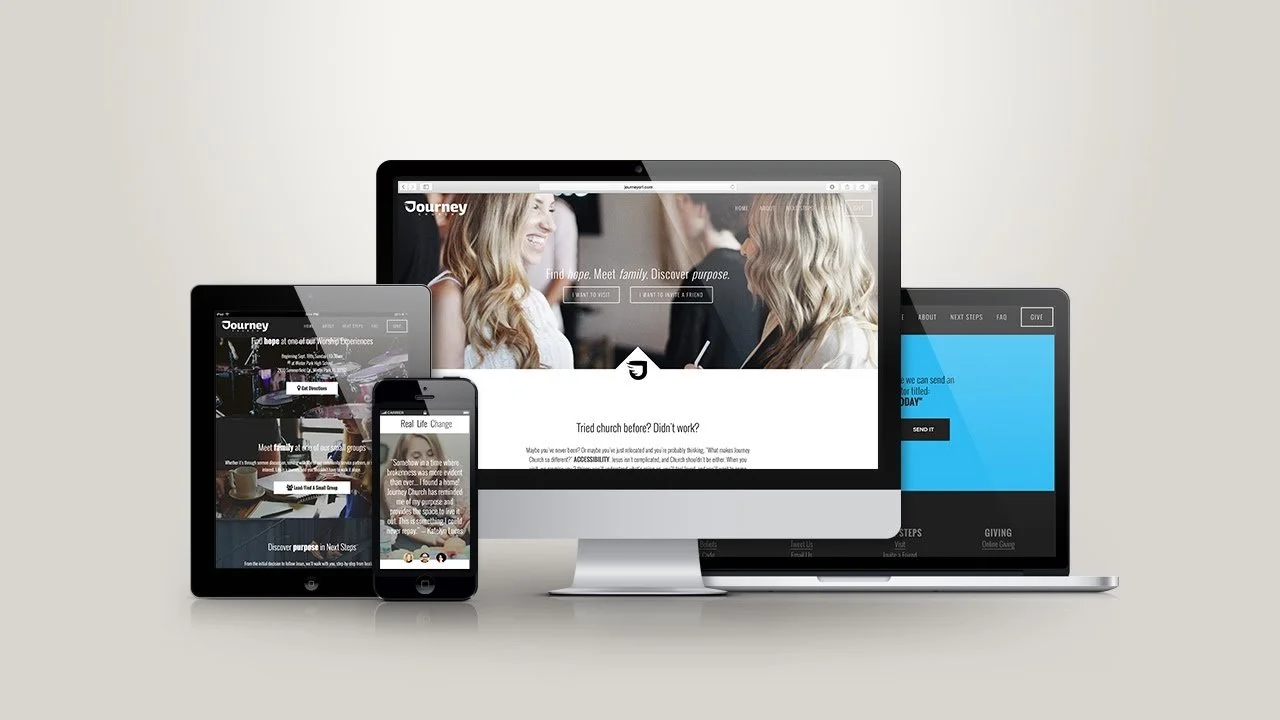
A website is not just a digital asset—it is the virtual storefront of your business. It is the place where your potential customers form their first impressions. With time, what worked in the past might no longer be effective. Just like you might renovate your physical store to match modern trends, your website also needs to evolve as your business grows and technology changes.
A website redesign is a critical process that goes beyond just changing aesthetics. It involves improving functionality, user experience, SEO, and performance. A website that is not periodically redesigned can quickly fall behind, leaving your business struggling to maintain relevancy.
A well-executed Squarespace website redesign can significantly improve your brand’s online presence, ensuring that your website continues to attract and convert visitors. Let’s dive deeper into the importance of a redesign and why it could be the next best step for your Squarespace website.
How a Squarespace Website Redesign Can Improve Your Online Presence
Squarespace is an easy-to-use platform that offers beautiful templates for building a website. However, even the most well-designed website can become obsolete as your business grows or as design trends evolve. A redesign can breathe new life into your website, improving the way visitors interact with your brand and ultimately driving more business.
Here’s how a Squarespace website redesign can enhance your online presence:
Increased Visual Appeal: If your current website looks outdated, a redesign can modernize it, making it more visually appealing to visitors.
Improved Performance: An updated design ensures better site performance with faster load times and improved functionality.
Better Mobile Experience: Mobile optimization is now crucial for success. A redesign ensures that your site is fully responsive, providing a better experience for users on all devices.
SEO Improvements: A redesign allows you to address technical SEO issues, improving your rankings on search engines and driving more organic traffic to your site.
Enhanced User Engagement: With improved design, navigation, and call-to-actions, visitors will engage more with your content and be more likely to convert.
The Role of User Experience in a Website Redesign
User experience (UX) is a critical component in any website redesign, especially when you aim to boost conversions and keep visitors on your site longer. A site that is difficult to navigate or has a confusing layout will frustrate users and drive them away.
Incorporating UX improvements into your Squarespace website redesign involves:
Simplified Navigation: Ensuring users can easily find what they’re looking for.
Clear Call-to-Actions (CTAs): Placing CTAs strategically to guide users toward desired actions (e.g., making a purchase or filling out a contact form).
Optimized Content Layouts: Structuring content to make it easy to consume, reducing bounce rates and improving time spent on the site.
Why Should You Consider Redesigning Your Squarespace Website?
The decision to redesign your Squarespace website should be motivated by a few critical factors. Here are some of the most compelling reasons:
Outdated Design and Functionality
As web design trends change, your website’s original design may become outdated. If your website looks like it’s stuck in the past, it could give off the wrong impression about your brand. An outdated design may also come with functionality issues—slow load times, broken links, and suboptimal mobile performance—which all contribute to a poor user experience. A Squarespace redesign allows you to refresh both the look and functionality of your site, ensuring that it aligns with current trends and performs optimally.
Read About: Squarespace Core Web Vitals: What They Are and Why They Matter
When Your Brand No Longer Aligns with Your Website
If your business has undergone rebranding, your website may no longer reflect your current image or message. This misalignment between your website and your brand can confuse customers. During a redesign, you can update your website’s design to reflect your new brand identity, ensuring that every touchpoint with your customers is consistent and aligned with your values.
Improving User Experience (UX) Through a Redesign
User experience (UX) plays a vital role in how visitors perceive your website. A good UX makes it easy for users to navigate your site and find what they need. If your website is difficult to navigate or visually overwhelming, visitors may quickly leave your site. A redesign allows you to improve the UX by creating a more intuitive layout, clearer calls-to-action, and easier access to your most important content.
Slow Website Performance and How Redesign Can Help
In today’s fast-paced digital world, users expect websites to load quickly. A slow website can be frustrating for visitors and can negatively impact your SEO rankings. During a Squarespace redesign, you can optimize your site’s performance by reducing image sizes, improving server processes, and optimizing code. These performance improvements will make your site faster and more enjoyable to use, reducing bounce rates and boosting SEO.
Signs It’s Time to Redesign Your Squarespace Website
If you’re unsure whether it’s time to redesign your Squarespace website, consider the following signs:
Your Website Isn’t Converting Visitors into Customers
If you’re getting traffic to your website but not seeing conversions (e.g., purchases, form submissions, or sign-ups), there may be an issue with your site’s design or functionality. A redesign can address these issues by enhancing the user journey, improving CTAs, and ensuring that your site is optimized for conversions.
Your Website Feels Outdated
If your website feels like it’s stuck in the past—whether due to poor design, outdated colors, or archaic navigation—it’s likely time for a redesign. A fresh look and feel will engage visitors and give them the impression that your business is modern, professional, and current.
Poor Mobile Performance and Responsiveness
With more people browsing the web on their mobile devices, it’s essential that your website is fully responsive. If your website looks or behaves poorly on smartphones or tablets, it’s time for a redesign. A mobile-optimized website is crucial for providing a seamless experience to mobile users.
High Bounce Rates and Low Engagement
High bounce rates (when visitors leave your site quickly) and low engagement (when visitors don’t interact with your site) are clear indicators that something is wrong. These issues often stem from poor design, slow load times, or difficult navigation. A Squarespace redesign can help address these problems by improving usability and user experience.
Your Competitors’ Websites Look Better
If your competitors’ websites are more modern, visually appealing, and user-friendly, it may be time to consider a redesign. Keeping up with industry trends and maintaining a competitive edge is important for staying relevant in your market.
How to Redesign a Squarespace Website: A Step-by-Step Guide
Now that you understand the importance of a redesign, here’s a step-by-step guide to help you get started with your Squarespace website redesign.
Set Clear Redesign Goals for Your Squarespace Website
Before you start the redesign process, establish clear goals. Do you want to increase conversions? Improve load time? Or update your branding? Setting specific objectives will ensure that your redesign is focused and strategic. Consider using Google Analytics to analyze your website’s performance and identify areas for improvement.
Choosing the Right Template for Your Squarespace Redesign
Squarespace offers a variety of beautiful templates, but not all templates are suitable for every business. Choose a template that aligns with your brand and business goals. If you run an e-commerce store, for instance, you might want to choose a template designed with online shopping in mind. Keep in mind that you can customize templates extensively to suit your needs.
What's New With: How to Add Image Animation in Squarespace Without Slowing It Down
Customizing Your Squarespace Redesign to Reflect Your Brand
Your website should reflect your brand identity, including your logo, color scheme, typography, and voice. Customizing your template allows you to incorporate your branding elements, ensuring that your site is visually appealing and consistent with your other marketing materials.
How to Improve Website Performance During Redesign
Website performance is a critical aspect of your redesign. During the redesign process, focus on optimizing your site’s speed. This can be achieved by reducing image file sizes, optimizing code, and minimizing third-party scripts that may slow down the site.
Mobile Optimization in Your Squarespace Redesign
With mobile traffic on the rise, mobile optimization is crucial for your redesign. Make sure your Squarespace template is responsive, meaning it adjusts to different screen sizes. Test the site’s mobile version thoroughly to ensure it’s user-friendly and provides a seamless experience on smartphones and tablets.
The Role of an Agency in Your Redesign Process
While you can certainly tackle a redesign yourself, hiring a Squarespace website design agency can provide a professional touch. Here’s how an agency can assist:
How an Agency Can Help You Achieve Your Goals
A Squarespace design agency brings expertise and experience to the table. They can help you select the right template, create a customized design, and implement performance optimizations that might be challenging if you’re doing it alone. An agency can also ensure that your site is SEO-friendly and responsive on all devices.
Why Hiring Squarespace Business Website Redesign Experts Near Me is Beneficial
Hiring local Squarespace redesign experts offers several benefits. Local experts can provide personalized service and are often more familiar with local design trends and user behavior. Additionally, hiring a nearby team makes communication easier and faster, which can lead to a smoother project.
Working with a Professional Squarespace Redesign Website Team
A professional design team can take the burden off your shoulders by managing the entire redesign process, from initial planning to post-launch support. They will ensure your website is aligned with your goals, functions properly, and offers a superior user experience.
The Benefits of a Squarespace Website Redesign
A Squarespace website redesign is more than just a cosmetic upgrade—it can bring several key benefits to your business. Let’s dive into the advantages of investing in a Squarespace redesign.
Better Conversion Rates and Increased Revenue
A well-designed website can significantly boost conversion rates. By streamlining the user journey, improving CTAs, and simplifying navigation, a redesign can help guide visitors toward taking action—whether that’s making a purchase, signing up for your newsletter, or filling out a contact form. With improved conversion rates, your business can see an increase in revenue, as your website becomes more effective at turning visitors into customers.
Improved SEO and Search Rankings
Search engine optimization (SEO) is essential for driving organic traffic to your website. A website redesign allows you to implement SEO best practices such as improved site structure, faster load times, optimized images, and better mobile responsiveness—all of which can help improve your search engine rankings. With a higher ranking, you’ll attract more visitors and, as a result, more potential customers.
Enhanced Brand Image and Consistency
A redesign provides an opportunity to refresh your website’s branding. Updating your website’s design to reflect your current brand identity, including colors, logos, and messaging, ensures consistency across all platforms. A cohesive brand image boosts trust and recognition with your audience, making it easier to build long-lasting relationships with customers.
Optimized User Journey for Better Customer Retention
Improving the user journey is essential for retaining customers. A website that is easy to navigate, quick to load, and mobile-optimized creates a seamless experience that keeps visitors engaged. By focusing on user-centric design during your Squarespace redesign, you create a better experience for your audience, which increases the chances of them returning to your site in the future.
Common Mistakes to Avoid When Redesigning Your Squarespace Website
While redesigning your Squarespace website can be highly beneficial, it’s important to avoid certain pitfalls that could hinder the success of your project. Here are some common mistakes to watch out for:
Focusing Only on Aesthetics and Ignoring Functionality
A visually appealing website is important, but functionality is just as crucial. Don’t make the mistake of focusing solely on the design without considering how it affects user experience. Your website should be both attractive and easy to navigate. Make sure your redesign improves not only the look but also the performance and usability of your site.
Overcomplicating Your Design and Making It Hard to Navigate
It’s tempting to incorporate complex design elements, but overcomplicating your website can confuse visitors and make it harder for them to find what they need. Keep the design clean and simple, focusing on a logical structure and intuitive navigation that allows users to easily access your most important content.
Not Testing Your Redesign Before Launch
Before launching your redesigned Squarespace website, it’s essential to test it thoroughly. Check for broken links, ensure all images and videos load properly, and verify that your website is responsive across all devices. Testing also includes checking performance metrics like page load speed and user interactions to ensure everything functions as expected.
Ignoring SEO in the Redesign Process
SEO should be an integral part of your Squarespace redesign. Failing to optimize your website for search engines can result in missed opportunities for organic traffic. Ensure that your redesign includes proper meta tags, alt texts, optimized images, clean URLs, and improved site structure to boost your SEO efforts.
Squarespace Website Redesign Checklist: Things You Must Do
A website redesign is a complex project, and there are many things you need to consider to ensure its success. Here’s a checklist to guide you through the process:
Conduct a Website Audit Before Redesigning
Start by conducting a website audit to evaluate your current website’s strengths and weaknesses. Look at your site’s performance, design, user experience, content, and SEO. This audit will help you identify areas that need improvement and prioritize them in your redesign process.
Prioritize Content Over Design
While design is important, content is king. Make sure your website’s content is clear, engaging, and relevant to your target audience. During the redesign, focus on improving content quality, ensuring that it speaks to the needs and interests of your visitors.
Test Mobile Responsiveness
With the rise of mobile internet usage, it’s crucial that your Squarespace website is fully responsive. Test your site’s mobile version to ensure it looks great and functions properly on smartphones and tablets. If you haven’t already, consider optimizing for mobile users during your redesign.
Ensure Fast Load Times Post-Redesign
Page load speed is crucial for user experience and SEO. During your redesign, make sure that your website loads quickly by optimizing images, minimizing code, and using caching techniques. Tools like Google PageSpeed Insights can help you test and improve load times.
How to Choose the Right Squarespace Business Website Redesign Experts
Choosing the right experts to assist you with your Squarespace redesign is essential. A professional design agency or freelancer can help guide you through the process and ensure that the redesign meets your business goals.
Look for Experience in Squarespace Redesign Projects
When choosing a Squarespace business website redesign expert, look for someone with experience in redesigning Squarespace websites. They should have a strong portfolio of past work that demonstrates their ability to create visually appealing, functional, and user-friendly websites.
Check for Client Testimonials and Reviews
Client testimonials and reviews are a great way to gauge the quality of a redesign expert’s work. Look for positive feedback and case studies that showcase the impact of their designs. If possible, reach out to past clients to get a sense of the designer’s professionalism, communication, and ability to meet deadlines.
How to Identify the Best Agency
The best Squarespace website design agencies are those that understand your business needs and can provide tailored solutions. Look for agencies that offer a mix of creative design, technical expertise, and SEO knowledge. They should be able to deliver a website that aligns with your brand, meets your goals, and provides a great user experience.
Understanding the Cost of Hiring Experts for Your Squarespace Redesign
Hiring experts for your Squarespace redesign can be an investment. Understand the pricing structure before you proceed and ensure that you’re getting value for your money. Remember that while it may seem expensive upfront, a professionally designed website can generate significant returns through increased traffic, conversions, and revenue.
Common Features to Include in Your Squarespace Redesign
Here are some common features that will enhance your Squarespace website and make it more user-friendly and efficient:
Customizable Navigation for Easier User Access
An intuitive, customizable navigation menu is key to a positive user experience. Make sure your website’s navigation is easy to use and directs visitors to the most important sections of your site.
Adding Social Proof and Client Testimonials
Social proof is a powerful tool in building trust with potential customers. Include client testimonials, reviews, and case studies to showcase the success of your business and products. This helps build credibility and encourages users to take action.
Streamlined Contact Forms and CTAs
Make it easy for visitors to get in touch with you by adding streamlined contact forms and clear CTAs (call-to-action buttons). Ensure that these elements are placed in strategic locations to maximize conversions.
Integration of E-commerce Features for Sales
If you run an online store, integrating e-commerce features into your Squarespace redesign is essential. Ensure that your product pages, shopping cart, and checkout process are easy to navigate and optimized for user experience.
How to Ensure Your Squarespace Website Redesign Is SEO-Friendly
SEO should be at the forefront of your Squarespace redesign efforts. A well-optimized website will rank higher in search engines, attracting more organic traffic and potential customers. Here’s how to ensure your website is SEO-friendly during the redesign:
The Importance of SEO in Your Squarespace Website Redesign
SEO is crucial for ensuring that your website is discoverable on search engines like Google. When redesigning your Squarespace website, make sure to include SEO best practices like optimized images, clear URLs, and keyword-rich content to boost your search rankings.
How to Optimize Your Website Structure During a Redesign
A well-structured website is easier for search engines to crawl and index. During your Squarespace redesign, ensure that your website’s structure is logical, with well-organized content and appropriate header tags (H1, H2, etc.) to help search engines understand your content.
Best Practices for Adding Content and Keywords to Your Squarespace Site
When adding content to your redesigned Squarespace website, focus on including relevant keywords that align with what your audience is searching for. This will help improve your rankings on search engines. Make sure to also optimize your meta tags, title tags, and alt text for images.
When to Redesign vs. When to Simply Update Your Squarespace Website
Not every website needs a complete redesign. Sometimes, updating your existing content or making small tweaks can suffice. Here’s when to consider a full redesign versus a simple update:
Redesigning vs. Refreshing Your Website’s Aesthetic
If your website’s content is still relevant, but the design looks outdated, a refresh might be all you need. Updating the visuals, typography, and layout can give your site a more modern look without a full redesign.
When to Update Content vs. Redesigning Entirely
If your content is outdated but the website’s functionality and design still work well, you may not need a full redesign. Updating your content, images, and calls to action might be enough to keep your website fresh.
Cost-Effective Solutions: Is Redesign Necessary?
A full redesign can be a significant investment. If your website is still functioning well but looks outdated, consider a refresh instead. This can be a cost-effective solution to improving the look and feel of your site without a major redesign.
The Impact of Squarespace Redesign on Your Business Growth
A Squarespace website redesign can significantly contribute to your business growth. Here’s how:
How a Redesigned Squarespace Website Drives More Traffic
An updated website is more likely to rank well on search engines, attracting more organic traffic. Additionally, a well-designed site encourages visitors to stay longer, explore more pages, and engage with your content.
Better Engagement with Updated User Interface
A fresh design with improved usability encourages visitors to spend more time on your site, leading to higher engagement rates and increased conversion opportunities.
The ROI of Investing in a Squarespace Redesign
Although a Squarespace redesign can require an upfront investment, the ROI can be substantial. By improving user experience, optimizing SEO, and increasing conversions, a redesigned website can contribute significantly to your bottom line.
Post-Redesign: What to Do After Launching Your New Squarespace Website
Once your new Squarespace website is live, your work isn’t over. Here’s what you should do after launching your redesigned site:
Monitor User Behavior and Feedback
Track how visitors interact with your redesigned site. Use tools like Google Analytics to monitor user behavior and gather feedback to identify areas for further improvement.
Track Performance Metrics to Ensure Success
After the redesign, monitor key metrics like traffic, conversion rates, and bounce rates to ensure that the changes are having the desired impact. Analyze the data to identify any issues that need to be addressed.
Continue to Update and Optimize Your Site Regularly
A website redesign is just the beginning. Continue to update your content, optimize for SEO, and make improvements to ensure your website remains relevant and effective in driving business growth.
FAQs
1. What is a Squarespace Website Redesign?
A Squarespace website redesign involves updating your existing site’s design, functionality, and structure to better align with your current business goals. It’s not just about aesthetics; a redesign can improve user experience (UX), boost performance, enhance mobile optimization, and optimize for SEO. A Squarespace redesign may include changes to the template, layout, navigation, branding, and content. This process ensures that your site reflects your business’s evolution and meets the expectations of modern users. Whether it’s for a fresh look, better conversions, or improved site speed, a redesign can significantly enhance your online presence.
2. How Long Does a Squarespace Redesign Take?
The timeline for a Squarespace redesign depends on the scope of the changes you want to make. A simple refresh with minor design changes may take only a few weeks, while a complete overhaul with new features, layout, and branding can take several months. Typically, a Squarespace website redesign could take anywhere from 4 to 8 weeks. The process includes planning, design, development, content updates, testing, and final approval. It’s important to communicate your goals and expectations clearly with your design team to get an accurate estimate of how long the project will take.
3. Do I Need a Squarespace Website Redesign or Just an Update?
Deciding whether to redesign or simply update your Squarespace website depends on the current state of your site. If your website feels outdated, doesn’t reflect your brand’s evolution, or has significant performance issues, a redesign is likely the best solution. However, if your site’s design is still functional and only content needs refreshing—like updating text, images, or blog posts—an update may suffice. It’s essential to assess both the design and functionality of your site to determine which option will serve your business needs better in the long term.
4. Can I Redesign My Squarespace Website Myself?
Yes, Squarespace provides an intuitive platform that allows users to redesign their website without needing extensive technical knowledge. With its drag-and-drop interface, customizable templates, and built-in design tools, you can make changes to your website yourself. However, if you want a more advanced redesign with custom features, layouts, or complex integrations, it may be beneficial to hire a professional Squarespace design agency. A professional can ensure your site meets industry best practices, is SEO-friendly, and provides a seamless user experience. For simple redesigns, Squarespace’s user-friendly tools may be sufficient.
5. How Much Does a Squarespace Redesign Cost?
The cost of a Squarespace website redesign varies based on several factors, such as the complexity of the redesign, the number of pages, and whether you hire a professional designer. If you redesign it yourself, the cost could be minimal, limited to the cost of your Squarespace plan and any premium templates or add-ons you choose. Hiring a professional design agency typically costs anywhere from $1,000 to $10,000 or more, depending on the scope of the project. A higher-end design will involve more time for planning, custom design, and development, but it may yield better results in terms of performance and user experience.
Conclusion
Redesigning your Squarespace website is a valuable investment for improving your online presence, user experience, and business performance. Whether you’re looking to update your design, enhance functionality, or improve mobile responsiveness, a redesign ensures your site remains competitive and effective in attracting and converting visitors. It can boost SEO, enhance user engagement, and align your website with modern design trends.
Ultimately, a website redesign helps your business stay relevant and professional, offering long-term benefits that improve traffic, conversions, and customer retention. It’s an essential step toward ensuring your website serves both your brand and your audience effectively.
Related Tag: Squarespace Website Design Cost
