
How to Choose the Right Squarespace Template
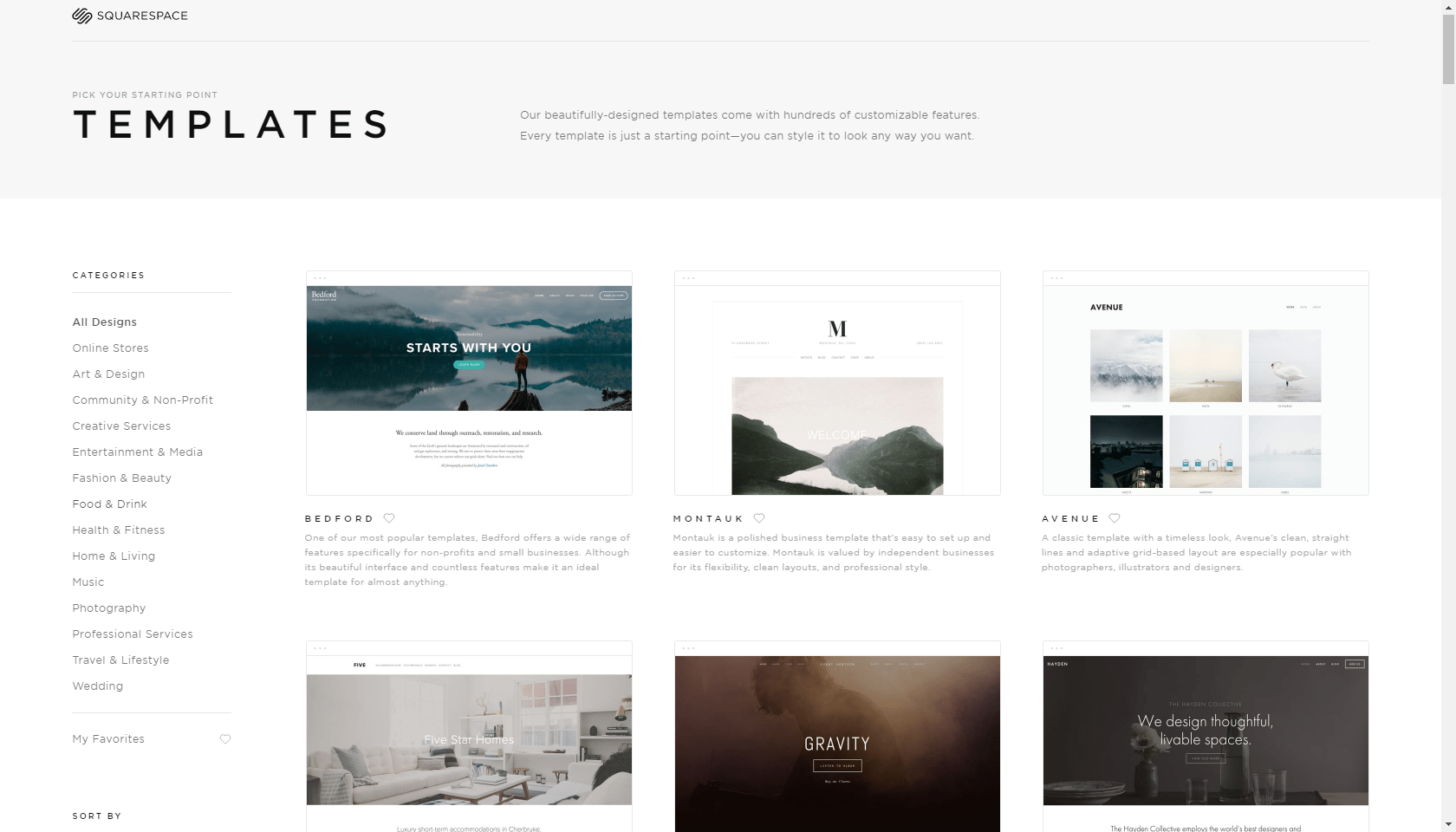
When it comes to building a website, choosing the right template is the foundation of your success. Squarespace offers a variety of templates that can help you create a stunning, functional website. Whether you're setting up a personal blog, a professional portfolio, or an online store, the right Squarespace template can make all the difference. But with so many options, how do you know which template will work best for your needs?
In this article, we'll explore everything you need to know about Squarespace templates, from selecting the perfect one to understanding the costs associated with Squarespace website design. We’ll cover the different types of templates available, tips for choosing the best one, and how to customize them to meet your goals.
Why Choosing the Right Squarespace Template Matters
Choosing the right template isn’t just about making your website look good; it’s about creating a user-friendly experience for your visitors and achieving your website’s goals. Whether you’re building a Squarespace portfolio or launching a blog, the right template provides a solid foundation for your content. It can help you organize your pages, design your layout, and ensure your website is responsive across devices.
Here's why the right Squarespace template matters:
Aesthetic Appeal: A good template makes your website look polished and professional.
Usability: It helps ensure that your site is easy to navigate for users.
Functionality: It enables key features like e-commerce, blogs, and galleries, depending on your needs.
SEO: The right template is optimized for search engines, helping you reach a wider audience.
Customization: Some templates offer more flexibility than others, allowing you to tweak the design.
With so many options available, it can be overwhelming to pick a template that meets all of your needs. That’s why understanding how to choose the right Squarespace template is key.
Types of Squarespace Templates
Squarespace offers a wide range of templates, each designed to cater to different types of websites. Whether you're a blogger, an artist, or a business owner, there’s a template that can fit your needs. Here's a breakdown of the most popular types:
1. Squarespace Website Templates
Squarespace website templates are the most common choice for general-purpose websites. These templates are versatile and can be adapted for a variety of content types, including blogs, portfolios, and e-commerce. The layout is flexible enough to support different kinds of pages and designs, giving you full control over your site’s content.
Popular Squarespace website templates include:
Brine: Ideal for businesses, portfolios, and online stores.
Bedford: Great for blogs and businesses that need clean, professional layouts.
Skye: Perfect for minimalistic websites and creative portfolios.
2. Squarespace Blog Templates
If you're starting a blog, you’ll need a template that focuses on content and readability. Squarespace blog templates are designed to showcase your posts in a clean, organized manner. They also make it easy to add multimedia elements like images, videos, and social media links.
Best Squarespace blog templates:
Five: Features a simple, clean design, perfect for bloggers who want minimal distractions.
Hawley: This template has a modern and flexible layout for personal blogs and businesses.
Foster: Great for bloggers looking for a visually rich blog with strong photo integration.
3. Squarespace Portfolio Templates
For creatives like photographers, artists, or designers, a portfolio template is essential. These templates emphasize visual elements, allowing you to showcase your work in a professional and eye-catching manner. The goal is to make your work the center of attention, with the design taking a backseat.
Best Squarespace portfolio templates:
Waverly: Clean and modern design that showcases visuals without distractions.
Paloma: Perfect for artists and photographers, with large image spaces and elegant typography.
Galapagos: Ideal for photographers or creatives who want a minimalist design with an artistic flair.
How to Choose the Right Template for Your Site
Choosing the right template for your Squarespace site depends on several factors, including your website’s purpose, your design preferences, and how much customization you want to do. Here’s a simple guide to help you make the right choice.
1. Consider the Purpose of Your Website
Before diving into templates, it’s important to define the purpose of your website. Do you want to showcase your portfolio, run a blog, or start an online store? Each type of website will benefit from different templates.
For a business or personal website: Go for a Squarespace website template that’s versatile and supports different types of pages, such as Bedford or Brine.
For a blog: Look for templates with clean layouts and readability-focused designs, like Five or Hawley.
For a portfolio: Choose a template that showcases your work in a visually appealing way, such as Waverly or Paloma.
2. Evaluate the Design and Layout
Every template comes with its own unique layout, design, and features. Some templates have pre-built pages like About, Services, or Contact, while others are more flexible and allow you to customize every page from scratch.
Minimalistic vs. detailed: If you prefer a clean and simple website, go for a template that’s minimalistic. For more complex needs, a template with more detailed layouts may suit you better.
Responsive design: Choose a template that is responsive, meaning it will look good on both desktop and mobile devices.
3. Customization Options
While Squarespace templates come with pre-designed layouts, customization options vary from template to template. Some allow for more design tweaks, while others are more rigid.
CSS and Custom Code: If you want to make significant design changes, choose a template that allows custom CSS or other code snippets.
Block-based editing: Some templates offer block-based editing for more control over your site’s design.
4. Look for Built-in Features
Certain templates come with built-in features like social media integration, built-in galleries, or e-commerce capabilities. If you plan to sell products on your website, for example, look for a template that’s optimized for online stores, like Skye or Brine.
How to Change Your Squarespace Template
One of the best features of Squarespace is that you can change your template at any time. This flexibility allows you to evolve your site as your business or personal brand grows. Here’s how to change your Squarespace template:
1. Backup Your Content
Before switching templates, make sure to back up your website. While most content will transfer seamlessly, some customizations may not. Save any custom CSS, images, and content to avoid losing anything.
2. Pick a New Template
Squarespace makes it easy to preview different templates. You can switch between templates by heading to the "Design" section of your Squarespace settings and choosing "Template". Browse through the available options and select the one that fits your new design vision.
3. Customize Your New Template
Once you’ve switched templates, go through the customization process again. You may need to tweak fonts, colors, and layout settings to ensure everything looks just right.
4. Publish Your New Design
Once you're happy with your new template, it’s time to publish your site. Make sure everything is working correctly and that you’ve updated all the content, images, and branding to match your new look.
Exploring The Cost
When selecting a template, it’s also essential to consider the costs associated with building and maintaining your Squarespace website. While Squarespace offers a free trial, there are costs to consider if you want to publish your site and access advanced features.
Squarespace pricing tiers include:
Personal Plan: This is the most basic option, offering limited features like a simple website and the ability to connect a custom domain.
Business Plan: Includes additional features such as e-commerce capabilities, custom CSS, and more design customization options.
Basic and Advanced Commerce Plans: These are ideal for those who want to run an online store, offering more advanced features like product management and promotional tools.
The costs for Squarespace templates themselves are typically included in the subscription plan, so there’s no extra charge for using a specific template. However, you may need to pay for premium features like advanced customization options or custom domain names.
Free Squarespace Templates vs. Paid Templates
Squarespace offers both free and paid templates. While the free templates are functional and beautiful, premium templates often come with added features, better design options, and more customization possibilities. However, it’s important to remember that the best template for you is one that aligns with your goals, whether free or paid.
Free templates offer:
Great for basic websites and small blogs.
Less customization and fewer built-in features.
Paid templates offer:
Advanced features and layout options.
More flexibility for customization and design.
FAQs
1. Can I change my Squarespace template after I’ve published my website?
Yes, you can change your Squarespace template at any time. Squarespace allows you to switch templates without losing your content. However, some customizations might not carry over, so it's recommended to back up your content before making any changes.
2. Are Squarespace templates free to use?
Yes, Squarespace offers both free and paid templates. The free templates come with most of the features you'll need to create a functional website. However, premium templates may provide additional design flexibility and advanced customization options.
3. How do I know which Squarespace template is best for my business?
Choosing the right template depends on the type of website you’re building. If you're creating an online store, look for templates with built-in e-commerce features. For portfolios or blogs, select templates that highlight visuals or content, respectively. Think about your website’s goals, content, and desired user experience to guide your decision.
4. What are the main differences between Squarespace website templates and blog templates?
Squarespace website templates are versatile, supporting various content types like business pages, portfolios, and blogs. Blog templates, on the other hand, focus specifically on content creation, showcasing blog posts in an organized and visually appealing way. If your main focus is blogging, a blog-specific template will make content management and readability a priority.
5. How much does it cost to design a Squarespace website?
The cost of designing a Squarespace website depends on the subscription plan you choose. The Personal plan starts at $12 per month, while the Business plan, which includes additional features like e-commerce capabilities, is priced at $18 per month. The cost of templates is included with the subscription, but premium features like custom domains or additional design services may incur additional fees.
Final Thoughts on Choosing the Right Squarespace Template
Choosing the right Squarespace template requires careful consideration of your website’s needs, your design preferences, and the features you want to include. Whether you're designing a blog, portfolio, or business site, Squarespace templates offer an array of options to help you create a professional and functional website.
Take your time exploring the different templates, and don’t be afraid to experiment with different layouts until you find one that works. And remember, whether you’re using free Squarespace templates or premium options, customizing your site to reflect your brand and purpose is the key to creating a standout online presence.
For businesses and individuals looking for a hands-on approach to building a website, Pocketknife is here to help guide you through the process of picking and customizing your Squarespace template.
